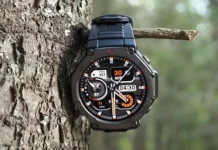

L'Amazfit T-Rex robuste et fiable 3 la smartwatch bénéficie d'une mise à niveau significative avec la sortie de la version 3.3.6.1. Cette dernière mise à jour apporte une multitude de nouvelles fonctionnalités et améliorations, dont un très attendu: Appuyer pour se réveiller.
Un examen plus approfondi des nouvelles fonctionnalités

- Appuyer pour se réveiller: L'une des fonctionnalités les plus demandées par T-Rex 3 utilisateurs, Tap-to-Wake vous permet de jeter un coup d'œil rapide à l'écran de la montre d'un simple toucher. Cela élimine le besoin d'appuyer sur un bouton ou de faire pivoter votre poignet., le rendant plus pratique et efficace.
- Entraînement de ski-alpinisme: Pour les amateurs de plein air, la mise à jour introduit un nouveau mode d'entraînement spécialement conçu pour le ski-alpinisme. Ce mode fournit un suivi détaillé de l'altitude, fréquence cardiaque, et d'autres mesures essentielles, vous aider à optimiser vos performances et votre sécurité.
- Suivi amélioré du sommeil: L'algorithme de suivi du sommeil a été affiné pour offrir des données de sommeil plus précises et plus pertinentes. La montre peut désormais identifier plus précisément les différentes phases du sommeil (lumière, profond, et REM) et calculer des mesures de qualité du sommeil comme la durée du sommeil, heures de réveil, et l'efficacité du sommeil.
- Activités optimisées: Les activités Padel et Track Run ont reçu des optimisations pour améliorer la précision et les performances. La montre peut désormais suivre avec plus de précision la distance, rythme, et la fréquence cardiaque pendant ces activités, vous fournir des informations précieuses pour améliorer votre formation.
Déploiement de la mise à jour
Bien que Zepp Health n’ait pas officiellement annoncé la sortie, les rapports suggèrent que la mise à jour se déroule par phases. Les utilisateurs en Italie ont déjà commencé à recevoir la mise à jour, qui fait environ 17,34 B. Il est prévu que la mise à jour soit progressivement disponible pour le T-Rex. 3 utilisateurs dans le monde entier.
Pour vérifier la mise à jour sur votre T-Rex 3, vous pouvez suivre ces étapes:
- Ouvrez l'application Zepp: Assurez-vous d'avoir la dernière version de l'application Zepp installée sur votre smartphone.
- Connectez votre montre: Assurez-vous que votre T-Rex 3 est connecté à l'application Zepp via Bluetooth.
- Vérifier les mises à jour: Dans l'application Zepp, accédez aux paramètres de l'appareil pour votre T-Rex 3. Cherchez un “Mise à jour du micrologiciel” option et vérifiez les mises à jour disponibles.
Si une mise à jour est disponible, suivez les instructions à l'écran pour télécharger et installer?il.
Vous aimerez peut-être également consulter:?Les nouvelles et dernières montres intelligentes 2024