
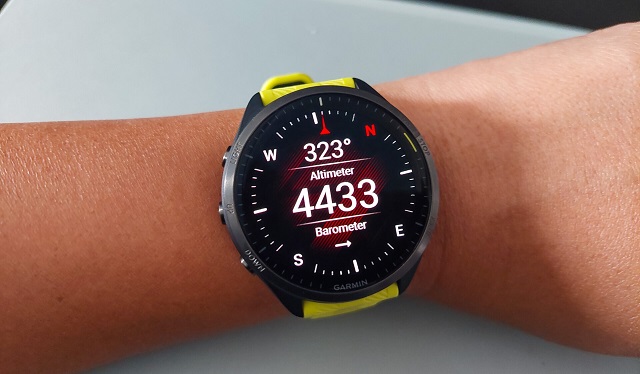
Garmin は最近、いくつかの人気の Forerunner モデルの機能とパフォーマンスを強化するように設計された新しいソフトウェア アップデートのリリースを発表しました。. アップデートは現在フォアランナーに展開中です 955, 965, 255, 265, そして 165.
アップデートに含まれる重要な機能の 1 つは Garmin Share です。, ユーザーはワークアウトを簡単に共有できます, コース, 他の互換性のある Garmin デバイスとのウェイポイント. この機能は、トレーニング コミュニティとつながり、フィットネスの成果を共有したいアスリートに最適です。.
さらに, このアップデートでは、デバイス設定のバックアップおよび復元機能が導入されています, ユーザーがデバイス設定を簡単に保存および復元できるようにする. これは、デバイスを頻繁に切り替える場合や、設定をデフォルトにリセットしたい場合に特に便利です。.
水泳選手向け, アップデートにより、プールでの水泳ワークアウトが改善されました, ペースアラートを含む, 重要な水泳速度, および強化されたレスト画面機能. これらの機能強化により、スイマーはパフォーマンスに関するより詳細なフィードバックを得ることができ、トレーニングの最適化に役立ちます。.
このアップデートにはレースタイム予測の改善も含まれています, これらはフィットネスレベルと最近の取り組みに基づいています. これにより、より正確な予測が保証され、アスリートが現実的な目標を設定できるようになります。.
アップデートのその他の注目すべき機能には、Garmin Connect アプリへの Garmin Run Coach 機能の統合が含まれます。, バグ修正, および UI の改善. このアップデートは、ユーザーによりスムーズで楽しい体験を提供することを目的としています。.
主な機能と改善点
最新のソフトウェア アップデートでは、いくつかの注目すべき機能と改善が導入されています, 含む:
- ガーミンシェア: ワークアウトを共有する, コース, 他の互換性のある Garmin デバイスとのウェイポイント.
- デバイス設定のバックアップと復元: デバイスの設定を簡単にバックアップおよび復元できるので便利です.
- 強化されたプール水泳サポート: ペースアラートによるプール水泳ワークアウトのサポートの向上を体験してください, 重要な水泳速度, および強化されたレスト画面機能.
- レースタイム予測の改善: フィットネスレベルと最近のパフォーマンスに基づいて、より正確なレースタイムを予測することができます。.
- Garmin Run Coach の統合: Garmin Run Coach 機能を Garmin Connect アプリにシームレスに統合できます。.
- バグ修正とUIの改善: このアップデートではさまざまなバグが解決され、よりスムーズなユーザー エクスペリエンスを実現する多数の UI 機能強化が含まれています。.
追加の変更点:
- スリープモード中のロック画面の振動を修正.
- マップデータフィールドのテキスト切り詰めの問題を解決しました.
- 特殊な気象データの表示エラーを修正.
- カレンダー表示の問題を修正しました.
- Garmin Connect リアルタイム設定でのプール サイズ選択の問題を修正しました.
- ブレスワークアクティビティ中のアラート抑制を解決しました.
- さまざまな言語の翻訳エラーを修正しました.
アップデートを手動でダウンロードする方法
アップデートを自動的に受け取っていない場合, 次の手順に従って手動でダウンロードしてインストールできます:
- メニューにアクセスする: フォアランナー デバイスのメニュー画面に移動します.
- システムの選択: を見つけて選択します。 “システム” オプション.
- ソフトウェアアップデートを選択してください: に行く “ソフトウェアのアップデート。”
- アップデートをチェックする: をタップします “アップデートをチェックする” 新しいソフトウェアの検索を開始するには.
この新しいソフトウェア アップデートは、Foreunner ユーザーに、より楽しく効率的なエクスペリエンスを提供することを目的としています。. これらの機能強化を組み込むことで、, Garmin は人気のフィットネス デバイスの機能を向上させ続けています。.