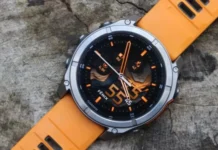

Garmin w końcu wypuścił długo oczekiwaną aktualizację dla swojego Fenixa 8 szereg, Feniks E, i Enduro 3. Ta aktualizacja przynosi 30 poprawki błędów i ulepszenia, jak również 11 nowe funkcje zaprojektowane w celu uproszczenia doświadczenia użytkownika w różnych sytuacjach.
Od premiery Fenixa 8 (około 960 euro na Amazon), Fenix E, i Enduro 3, użytkownicy skarżyli się na wiele problemów, począwszy od zbyt niskiej jasności wyświetlacza po błędne śledzenie snu, które czasami się zapisuje 700,000 godzin snu w ciągu jednej nocy. Wygląda na to, że programiści Garmina w końcu otrząsnęli się z snu, jako aktualizacja oprogramowania do wersji 11.89 jest już dostępny w stajni, wersja ogólnodostępna, zaledwie kilka dni po udostępnieniu wersji beta 11.87.
Aktualizacja usuwa niektóre z najbardziej irytujących błędów w Fenixie 8, Feniks E, i Enduro 3. Smartwatche nie powinny już zawieszać się podczas zapisywania treningu, i nie powinni już rejestrować wyimaginowanych dotknięć ekranu dotykowego podczas połączeń. Przycisk oddzwonienia i przycisk przeniesienia połączenia na smartfon działają teraz poprawnie po patchu. Garmin naprawił błędy, które uniemożliwiały anulowanie treningów, urządzeń inReach przed parowaniem, i treningi nie będą poprawnie wyświetlane w kalendarzu. Pełną listę poprawek błędów można znaleźć na stronie internetowej firmy Garmin oraz w dzienniku zmian na końcu tego artykułu.
Oprócz poprawek błędów, Wraz z tą aktualizacją Garmin wprowadził także szereg ulepszeń. Po aktualizacji zawsze włączone tarcze zegarków są jaśniejsze, ekran edycji tarczy zegarka jest wyświetlany płynniej, zużycie energii podczas korzystania z aplikacji mapowej jest zmniejszone, a czas przetwarzania na długich trasach ulega skróceniu. Garmin wymienia łącznie 11 nowe funkcje wprowadzone wraz z aktualizacją oprogramowania sprzętowego 11.89.
Zmień dziennik:
Dodano jasność wyświetlacza do poleceń głosowych.
Dodano możliwość przełączania map innych firm w menu Warstwy mapy.
Dodano automatyczne okrążenie według pozycji.
Dodano ekran danych umożliwiający śledzenie trudności jazdy na nartach/snowboardzie.
Dodano opcję łączenia się z Wi-Fi w Menedżerze map.
Dodano przewodniki PacePro i Power do pętli aktywnej nawigacji.
Dodano procent nasłonecznienia na tarczy zegarka (Modele słoneczne).
Dodano obsługę ustawień głośności alarmów i naprawiono problem polegający na wyciszaniu alarmów, gdy włączona jest funkcja Nie przeszkadzać.
Dodano obsługę funkcji wyrzucania wody.
Dodano szufladę Informacje o lokalizacji do strony Mapa.
Dodano dwa układy tarcz zegarków Solar jako opcje w modelach AMOLED.
Naprawiono potencjalną awarię podczas zapisywania biegu, Chodzić, lub wędrówki.
Naprawiono przypadkowe dotknięcia podczas rozmów telefonicznych.
Naprawiono problem polegający na tym, że monity o zwrot nie wyświetlały alertów podczas korzystania z nawigacji.
Naprawiono błąd uniemożliwiający zapisanie lub odrzucenie aktywności Ekspedycji po pominięciu zapisywania ostatniego punktu.
Naprawiono uszkodzony przycisk ponownego wybierania po nieodebranym połączeniu.
Naprawiono błąd wpływający na parowanie z urządzeniem InReach.
Naprawiono błąd uniemożliwiający anulowanie treningu.
Naprawiono obsługę podświetlenia przycisków i ekranu dotykowego w trybie Nie przeszkadzać.
Naprawiono funkcjonalność przycisku przekazywania połączenia na telefon.
Naprawiono zachowanie ClimbPro w pętli aktywnej nawigacji.
Naprawiono widoczność podglądu ClimbPro.
Naprawiono awarię w oszczędzaniu baterii dla różnych języków.
Naprawiono renderowanie mapy Golfa (Modele słoneczne).
Naprawiono niemożność wykonywania treningów bez siły.
Naprawiono niepoprawną liczbę aktywnych liczników czasu.
Naprawiono nieprawidłowe wzniesienie punktu trasy w zapisanej aplikacji.
Naprawiono kursor mapy w trybie panoramowania/powiększania.
Naprawiono brakujące wartości ciężarów na stronie treningu siłowego.
Naprawiono potencjalną awarię podczas ćwiczeń HIIT i wspinaczki halowej.
Naprawiono potencjalną awarię podczas wyszukiwania lokalizacji w aplikacji Pogoda.
Naprawiono możliwość rozładowywania baterii po zapisaniu działań.
Naprawiono układ listy lokalizacji zapisu w aktywności polowań.
Naprawiono wyświetlanie listy zapisanych aplikacji w nieprawidłowej kolejności.
Naprawiono przewijanie na bardzo dużych listach.
Naprawiono obcięcie wartości zejścia do trasy narciarskiej.
Naprawiono nieprawidłowe wyświetlanie niektórych wykresów po uruchomieniu z menu Ostatnie.
Naprawiono planowanie treningów w aplikacji Kalendarz.
Ulepszona jasność tarczy zegarka Always-On (Amoled).
Ulepszone animacje i szybkość przewijania edytora tarcz zegarka.
Poprawiono obsługę ekranu dotykowego włączającego podświetlenie (Modele słoneczne).
Ulepszone ikony wyłączenia/wyłączenia w menu sterowania zasilaniem.
Poprawiono zużycie energii na stronie mapy.
Skrócony czas przetwarzania dużych kursów.
Poprawiona wydajność zapisanej aplikacji.
Ulepszona grafika dla wyłączonych elementów sterujących mocą.
Poprawiona prędkość rysowania punktów orientacyjnych na mapie.
Usunięto codzienne sugerowane treningi z Kalendarza, jeśli sugestie są wyłączone.
Ustaw domyślny format pozycji na DEG.
Jak zaktualizować
Aby zaktualizować zegarek Garmin do najnowszej wersji oprogramowania sprzętowego, wykonaj następujące kroki:
-
Zapewnij stabilne połączenie: Upewnij się, że zegarek jest podłączony do stabilnej sieci Wi-Fi lub sparowany ze smartfonem przez Bluetooth.
-
Sprawdź aktualizacje:
- Na Twoim zegarku: Otwórz menu ustawień i poszukaj “System” Lub “O” sekcja. Powinna być możliwość sprawdzenia dostępności aktualizacji.
- Na Twoim smartfonie: Jeśli masz aplikację Garmin Connect, otwórz go i sprawdź, czy są dostępne aktualizacje dla Twojego zegarka.
-
Pobierz i zainstaluj: Jeśli dostępna jest aktualizacja, pobierz go i postępuj zgodnie z instrukcjami wyświetlanymi na ekranie, aby go zainstalować. Proces może potrwać kilka minut.