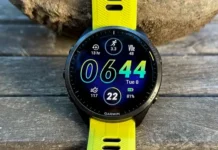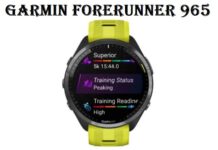

Garmin a dezvăluit o nouă actualizare beta, versiune 21.19, pentru gama sa populară de smartwatch Forerunner. Această actualizare pentru Release Candidate, care este acum disponibil pentru testerii beta pentru Forerunner 165, 255, 265, 955, şi 965 modele, este gata să devină o versiune stabilă în curând.
În timp ce schimbările specifice între această versiune și predecesorul său imediat, 21.18, se concentrează în primul rând pe îmbunătățirea stabilității, setul de caracteristici mai larg comparativ cu ultima versiune publică, 20.32, este destul de substanțială.
Îmbunătățiri cheie în versiune 21.19 include:
- Îmbunătățiri pentru a sprijini antrenamentul de înot la piscină cu alerte de ritm și viteză critică de înot.
- Îmbunătățiri ale ecranului de odihnă pentru înot din piscină și ale tonurilor de alertă.
- Adaugă activitatea de Meditație.
- Adaugă privirea Faza Lunii.
- Estimările pragului de lactat sunt aplicate automat după antrenamentul cu ritmul cardiac.
- Funcția Prag Estimările puterii sunt aplicate automat după antrenamentul cu putere.
- S-a rezolvat o problemă în care unele tipuri de antrenamente zilnice sugerate nu afișează efectul estimat al antrenamentului.
- S-a rezolvat o problemă în care cronometrul este setat pe modul silențios, mai scoate un sunet.
- S-a rezolvat o problemă în care imaginile de notificări inteligente Android nu se încarcă uneori.
- S-a rezolvat o problemă în care ritmul cardiac crește aleatoriu după salvarea activității.
- S-a remediat o problemă în care Navigarea folosind harta adaugă doar pictograma de viraj pentru unele profiluri sportive.
- S-a rezolvat o problemă în care culoarea accentului de “Alte” activitățile nu ar salva.
- S-a rezolvat o problemă în care antrenamentele personalizate nu funcționau în unele activități.
- S-a rezolvat o problemă în care adăugarea ritmului cardiac în dosarul Glance s-ar fi întrerupt atunci când ritmul cardiac este dezactivat.
- S-a rezolvat o problemă în care somnul nu era uneori înregistrat la trezire mult timp după ora de trezire configurată.
- Adaugă compatibilitate pentru planurile de antrenament de forță Garmin Coach.
- S-a rezolvat o problemă în care dispozitivul revine la pagina anterioară atunci când răsfoiau privirea meteo.
- S-a rezolvat o problemă în care modul de repaus se relua după ce utilizatorul ieșea manual din modul de repaus.
- S-a rezolvat o problemă în care copiile profilului de activitate de triatlon erau afișate ca profiluri de alergare.
Pentru a descărca actualizarea beta, pur și simplu navigați la Meniul de redare > Setări > Sistem > Actualizare software > Verificați pentru actualizări pe ceasul inteligent Forerunner compatibil.
De asemenea, v-ar putea dori să verificați:?Cele mai noi și cele mai recente ceasuri inteligente 2024