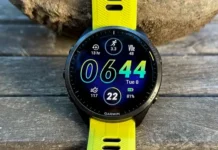


Garmin has initiated a targeted update for its premium Fenix 7 ชุด, เอพิกซ์, เอนดูโร 2, มาร์ค เจน 2, และควอทิกซ์ 7 โมเดล, to address a critical issue causing unexpected system shutdowns. Currently accessible through the company’s Beta Program, this software update is designed to bolster the overall stability and reliability of these high-end wearables.
เวอร์ชันเบต้า 18.10: A Step Forward
This latest iteration, เวอร์ชันเบต้า 18.10, is the second update within the 18.xx beta cycle. Building upon the foundation laid by Beta Version 18.09, which introduced a suite of bug fixes and enhancements, this new release focuses on resolving specific issues that could lead to device failure.
It’s important to note that while the update is available for download on Enduro 2, เอพิกซ์ 2, ฟีนิกซ์ 7, ควอติกส์ 7, และ MARQ Gen 2 นาฬิกา, manual initiation is required. Users must navigate to the ‘Software Updates’ menu within the device settings to trigger the download. In cases where this method proves unsuccessful, Garmin has provided direct download links on its forum for a more hands-on approach.
Tackling System Instability
The primary objective of Beta Version 18.10 is to eradicate two primary bugs that have been plaguing the previous beta release. ปัญหาเหล่านี้, if left unaddressed, could result in abrupt system shutdowns, disrupting user experience and potentially leading to data loss.
- Daily Suggested Workouts: The update rectifies an issue that could cause the device to unexpectedly shut down when users modified the settings for their daily suggested workouts.
- Outdoor Maps+: Another bug resolved in this update pertains to the outdoor Maps+ feature. Changing map layers within this feature was previously identified as a potential cause for system crashes, a problem that has now been eliminated.
This update is available via ‘Check For Updates’ บนนาฬิกาของคุณ. Rather than manually loading files to update your watch’s software, you can download this update via Wifi. To download the update, on your watch go to Menu -> ระบบ -> อัพเดตซอฟต์แวร์ -> ตรวจสอบการอัปเดต.
By addressing these critical stability concerns, Garmin aims to enhance the overall user experience for those participating in the beta program.
Visit the Garmin update page