
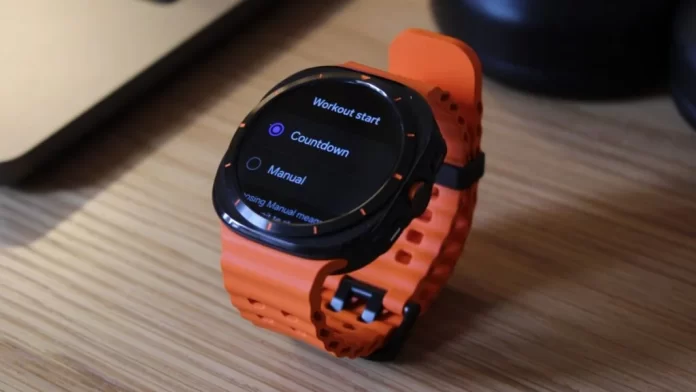
O Galaxy Watch Ultra é uma prova do compromisso da Samsung em criar tecnologia vestível premium. Com seu design robusto, recursos avançados de saúde, e desempenho robusto, é uma escolha atraente para entusiastas de atividades ao ar livre, atletas, e aficionados por tecnologia. No entanto, para maximizar verdadeiramente o potencial deste smartwatch excepcional, um mergulho mais profundo em suas capacidades é essencial.
Além de suas impressionantes funções principais, o Galaxy Watch Ultra oferece diversas opções de personalização e recursos ocultos que podem melhorar significativamente a experiência do usuário. Este guia tem como objetivo iluminar esses aspectos, capacitando você a transformar seu smartwatch de um dispositivo capaz em um companheiro indispensável que se integra perfeitamente ao seu estilo de vida.
Investigando áreas específicas, como otimização de treino, extensão da vida útil da bateria, e personalização avançada, exploraremos os meandros do Galaxy Watch Ultra, fornecendo dicas e insights práticos para elevar sua experiência com smartwatch a novos patamares.
Vamos embarcar juntos nesta jornada para desbloquear todo o potencial do seu Galaxy Watch Ultra.
1-Vala Bixby, Abrace o Google Assistente
O Bixby da Samsung pode estar pré-instalado, mas está longe do ideal. Felizmente, o Google Assistant superior pode ser seu assistente de voz preferido.
- Baixe o aplicativo Google Assistente na Play Store.
- Navegue até o aplicativo Configurações, então “Botões e gestos.”
- Sob “Botão inicial,” mudar “Pressione e segure” de Bixby ao Google Assistente.
2-Assuma o controle do início do treino
Evite o início acidental do treino e garanta o bloqueio ideal do GPS, personalizando o processo de início do treino.
- Toque duas vezes no botão rápido para acessar perfis de exercícios.
- Selecione um treino e toque em “Configurações.”
- Mudar “Início do treino” de “Contagem regressiva” para “Manual.”
3-Desbloqueie configurações ocultas para desempenho aprimorado
Descubra um tesouro de opções de personalização ativando o modo de desenvolvedor.
- Vá para “Configurações,” então “Sobre assistir” e “Informações de software.”
- Toque rapidamente “Versão do software” até “Modo de desenvolvedor ativado” aparece.
- Retorne ao menu de configurações principal e explore o recém-acessível “Opções do desenvolvedor.”
4-Silencie a sirene inesperada
Evite alarmes acidentais desativando o recurso de sirene.
- Abra o “Configurações” aplicativo e vá para “Botões e gestos.”
- No “Botão rápido” seção, desligue o “Sirene” trocar.
5-Maximize a vida útil da bateria com economia de energia para exercícios
Prolongue o tempo de treino ativando manualmente o modo de economia de energia do exercício.
- Acesse o perfil de exercício desejado e toque em “Configurações.”
- Sob “Todos os treinos,” habilitar “Exercite a economia de energia.”
6-Importe arquivos GPX para navegação sem esforço
Siga suas rotas favoritas com facilidade importando arquivos GPX.
- Abra o “Andando” perfil de exercício e toque em “Configurações.”
- Selecione “Rota” e então “Adicione no telefone.”
- Escolha o arquivo GPX desejado nos downloads do seu telefone.
7-Personalize sua experiência multiesportiva
Personalize seus treinos multiesportivos com perfeição com perfis personalizados.
- Acesse o widget Multiesportivo e selecione o “Multiesportivo” bandeira.
- Crie um perfil personalizado escolhendo os esportes e pedidos desejados.
- Salve seu fluxo multiesportivo personalizado para fácil acesso.
Seguindo essas dicas, você transformará seu Galaxy Watch Ultra em um companheiro verdadeiramente personalizado e eficiente.