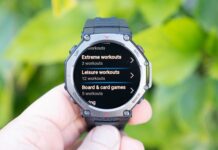

Amazfit تطلق إصدارًا جديدًا تحديث البرامج الثابتة (إصدار 3.10.4.1) ل امازفيت تي ريكس 3 ساعة ذكية. يقدم هذا التحديث عددًا من التحسينات المهمة, من مقاييس الجري الجديدة إلى الدعم الرياضي الموسع وميزات التنقل المحسنة.
ديناميكيات الجري المحسنة
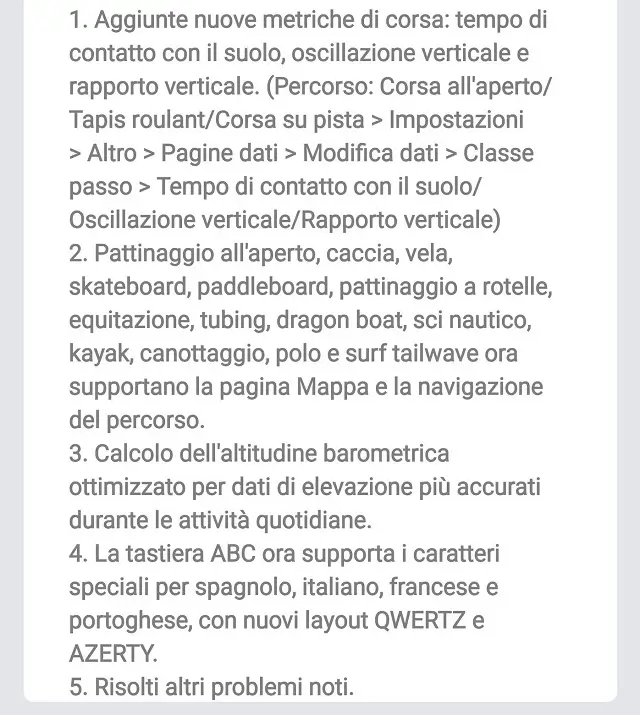
سيكون المتسابقون متحمسين للمقاييس الجديدة المتاحة الآن. يضيف التحديث وقت الاتصال بالأرض, التذبذب العمودي, و النسبة الرأسية إلى بياناتك قيد التشغيل. يمكن أن تساعدك هذه المقاييس في تحليل النموذج والأداء بشكل أكثر دقة. لتمكينهم, انتقل إلى وضع التشغيل المطلوب (تشغيل في الهواء الطلق, جهاز المشي, أو تشغيل المسار) واذهب الى إعدادات > أكثر > صفحات البيانات > تحرير البيانات > فئة الخطوة. من هناك, يمكنك تحديد حقول البيانات الجديدة وإضافتها إلى شاشتك.
دعم أوسع للرياضات والملاحة
تعمل البرامج الثابتة الجديدة على توسيع قائمة الألعاب الرياضية التي تدعم عرض الخريطة والملاحة على الطريق بشكل كبير. يعد هذا فوزًا كبيرًا لعشاق الهواء الطلق. مجموعة واسعة من الأنشطة, مشتمل التزلج في الهواء الطلق, الصيد, الإبحار, التزلج, التجديف, التزلج على الجليد, ركوب الخيل, أنابيب, قارب التنين, التزلج على الماء, التجديف, تجديف, بولو, وتصفح الموجة الخلفية, يمكنه الآن الاستفادة من ميزات التنقل في الساعة الذكية.
تحسينات ملحوظة أخرى وكيفية التحديث
بالإضافة إلى تحديثات التشغيل والملاحة, تتضمن البرامج الثابتة العديد من التحسينات الرئيسية الأخرى. ال حساب الارتفاع البارومتري تم تحسينه لتوفير بيانات ارتفاع أكثر دقة طوال أنشطتك اليومية. بالإضافة إلى, ال لوحة المفاتيح ABC يدعم الآن الأحرف الخاصة باللغة الإسبانية, إيطالي, فرنسي, والبرتغالية. كما يقدم الجديد تخطيطات لوحة المفاتيح QWERTZ وAZERTY لاستيعاب المستخدمين بشكل أفضل في مناطق مختلفة. يتضمن التحديث أيضًا العديد من إصلاحات الأخطاء وتحسينات الأداء.
كيفية الحصول على التحديث?
يتم الطرح على مراحل, لذلك إذا كنت لا ترى التحديث على الفور, ومن المفترض أن يكون متاحًا لجهازك في الأيام القادمة. للتحقق من التحديث على جهاز Amazfit T-REX 3, اتبع هذه الخطوات البسيطة:
- حافظ على ساعتك الذكية متصلة بهاتفك الذكي عبر البلوتوث.
- افتح تطبيق زيب على هاتفك.
- اذهب الى “حساب تعريفي” قسم.
- اختر الخاص بك امازفيت تي ريكس 3 جهاز.
- اضغط على “تحديث النظام” للتحقق من البرامج الثابتة الجديدة.
إذا كان التحديث متاحا, سترى مطالبة بتنزيله وتثبيته. يوصى بشحن ساعتك قبل بدء التحديث لتجنب أي انقطاع.
قد ترغب أيضًا في التحقق: الساعات الذكية الجديدة والأحدث 2025