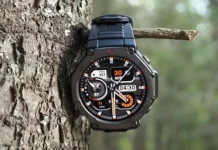

Amazfit đang phát hành một sản phẩm mới cập nhật chương trình cơ sở (phiên bản 3.10.4.1) cho Amazfit T-REX 3 đồng hồ thông minh. Bản cập nhật này giới thiệu một số cải tiến đáng kể, từ số liệu chạy bộ mới đến hỗ trợ thể thao mở rộng và các tính năng điều hướng được cải thiện.
Động lực chạy nâng cao
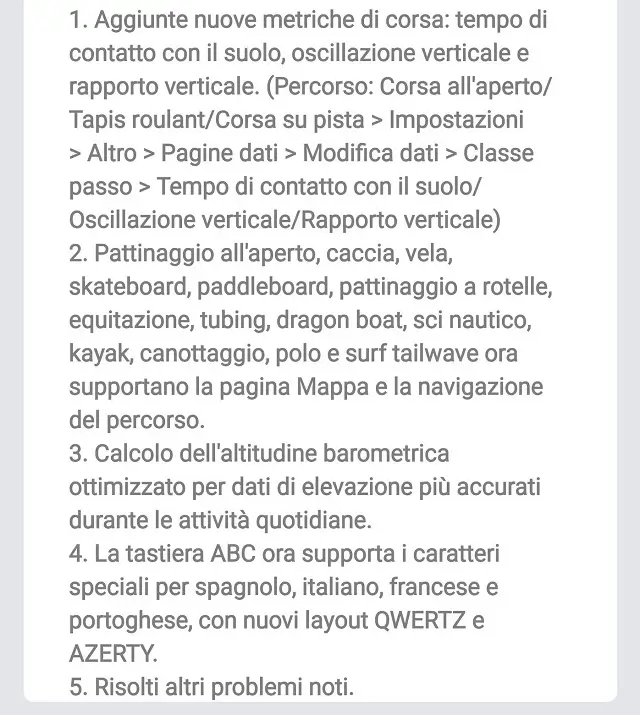
Người chạy sẽ rất hào hứng với các số liệu mới hiện có. Bản cập nhật bổ sung thời gian tiếp xúc mặt đất, dao động dọc, Và tỷ lệ dọc vào dữ liệu đang chạy của bạn. Những số liệu này có thể giúp bạn phân tích biểu mẫu và hiệu suất của mình chính xác hơn. Để kích hoạt chúng, điều hướng đến chế độ chạy mong muốn của bạn (Chạy ngoài trời, Máy chạy bộ, hoặc Đường chạy) và đi đến Cài đặt > Hơn > Trang dữ liệu > Chỉnh sửa dữ liệu > Bước lớp. Từ đó, bạn có thể chọn và thêm các trường dữ liệu mới vào màn hình của mình.
Hỗ trợ thể thao và điều hướng rộng hơn
Phần sụn mới mở rộng đáng kể danh sách các môn thể thao hỗ trợ xem bản đồ và điều hướng tuyến đường. Đây là một chiến thắng lớn cho những người đam mê hoạt động ngoài trời. Một loạt các hoạt động, bao gồm trượt băng ngoài trời, săn bắn, đi thuyền, trượt ván, chèo thuyền, trượt patin, cưỡi ngựa, ống, thuyền rồng, trượt nước, chèo thuyền kayak, chèo thuyền, polo, và lướt sóng đuôi, giờ đây có thể tận dụng các tính năng điều hướng của đồng hồ thông minh.
Những cải tiến đáng chú ý khác và cách cập nhật
Ngoài các bản cập nhật về chạy và điều hướng, phần sụn bao gồm một số cải tiến quan trọng khác. Các tính toán độ cao khí quyển đã được tối ưu hóa để cung cấp dữ liệu độ cao chính xác hơn trong suốt các hoạt động hàng ngày của bạn. Hơn nữa, các Bàn phím ABC hiện hỗ trợ các ký tự đặc biệt cho tiếng Tây Ban Nha, người Ý, người Pháp, và tiếng Bồ Đào Nha. Nó cũng giới thiệu mới Bố cục bàn phím QWERTZ và AZERTY để đáp ứng tốt hơn cho người dùng ở các khu vực khác nhau. Bản cập nhật cũng bao gồm nhiều bản sửa lỗi và cải tiến hiệu suất.
Làm thế nào để có được bản cập nhật?
Việc triển khai đang diễn ra theo từng giai đoạn, vì vậy nếu bạn không thấy bản cập nhật ngay lập tức, nó sẽ có sẵn cho thiết bị của bạn trong những ngày tới. Để kiểm tra bản cập nhật trên Amazfit T-REX của bạn 3, hãy làm theo các bước đơn giản sau:
- Giữ đồng hồ thông minh của bạn được kết nối với điện thoại thông minh của bạn qua Bluetooth.
- Mở ứng dụng Zepp trên điện thoại của bạn.
- Đi đến “Hồ sơ” phần.
- Chọn của bạn Amazfit T-REX 3 thiết bị.
- Nhấn vào “Cập nhật hệ thống” để kiểm tra phần sụn mới.
Nếu có bản cập nhật, bạn sẽ thấy lời nhắc tải xuống và cài đặt nó. Bạn nên sạc đồng hồ trước khi bắt đầu cập nhật để tránh mọi gián đoạn.
Bạn cũng có thể thích kiểm tra: Đồng hồ thông minh mới và mới nhất 2025