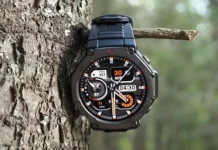

Amazfit lanza un nuevo Actualización de firmware (versión 3.10.4.1) para el Amazfit T-REX 3 reloj inteligente. Esta actualización introduce una serie de mejoras significativas., desde nuevas métricas de carrera hasta soporte deportivo ampliado y funciones de navegación mejoradas.
Dinámica de carrera mejorada
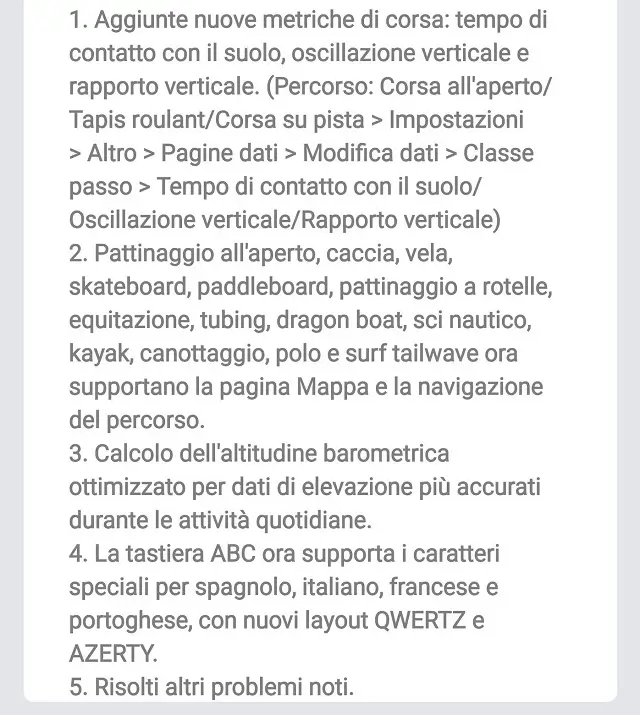
Los corredores estarán entusiasmados con las nuevas métricas ahora disponibles.. La actualización agrega tiempo de contacto con el suelo, oscilación vertical, y relación vertical a tus datos de carrera. Estas métricas pueden ayudarle a analizar su forma y rendimiento con mayor precisión.. para habilitarlos, navegue hasta el modo de ejecución deseado (Correr al aire libre, Rueda de andar, o carrera en pista) y ve a Ajustes > Más > Páginas de datos > Editar datos > Clase de paso. De eso, puede seleccionar y agregar los nuevos campos de datos a su pantalla.
Soporte más amplio para deportes y navegación
El nuevo firmware amplía significativamente la lista de deportes que admiten la visualización de mapas y la navegación de rutas.. Esta es una gran victoria para los entusiastas del aire libre.. Una amplia gama de actividades, incluido patinaje al aire libre, caza, navegación, patinar, remo, patinaje sobre ruedas, montar a caballo, tubería, barco dragón, esquí acuático, kayak, remo, polo, y surfear con olas de cola, ahora puede aprovechar las funciones de navegación del reloj inteligente.
Otras mejoras notables y cómo actualizar
Además de las actualizaciones de ejecución y navegación., el firmware incluye varias otras mejoras clave. El cálculo de altitud barométrica se ha optimizado para proporcionar datos de elevación más precisos a lo largo de sus actividades diarias. Además, el teclado abc ahora admite caracteres especiales para español, italiano, Francés, y portugués. También introduce nuevas Distribuciones de teclado QWERTZ y AZERTY para adaptarse mejor a los usuarios en diferentes regiones. La actualización también incluye varias correcciones de errores y mejoras de rendimiento..
Cómo obtener la actualización?
El lanzamiento se está realizando en fases., Entonces, si no ves la actualización de inmediato, debería estar disponible para su dispositivo en los próximos días. Para comprobar la actualización en tu Amazfit T-REX 3, sigue estos sencillos pasos:
- Mantén tu reloj inteligente conectado a tu smartphone mediante Bluetooth.
- Abrir el Aplicación Zepp en tu teléfono.
- Ir al “Perfil” sección.
- Selecciona tu Amazfit T-REX 3 dispositivo.
- Toca “Actualización del sistema” para comprobar el nuevo firmware.
Si la actualización está disponible, Verá un mensaje para descargarlo e instalarlo.. Se recomienda tener el reloj cargado antes de iniciar la actualización para evitar interrupciones..
También puede que le guste verificar: Los nuevos y últimos relojes inteligentes 2025